I Thought Scanning Was Safe—Until My Data Wasn’t
You know that quick scan to save a receipt, share a document, or log into an account? I used to do it without thinking—until I realized how much personal information was slipping through the cracks. What felt like convenience started feeling like risk. This is the real story of how I learned to protect my privacy in a world where a single scan can open the door to exposure—and how changing just a few habits made all the difference. It wasn’t a data breach headline or a phishing email that woke me up. It was something quieter, more personal: the moment I opened my cloud storage and saw a folder labeled ‘Scans’ with over 200 files—IDs, medical forms, school permissions, even a copy of my passport—none of it encrypted, none of it password-protected. And suddenly, I wasn’t just using technology. I was feeding it my life.
The Day My Phone Felt Like a Liability
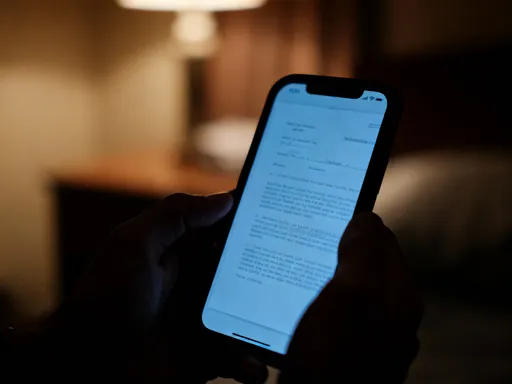
It started with a spilled coffee. I was rushing out the door, juggling my kids’ backpacks, a reusable water bottle, and my phone. As I slipped it into my bag, I felt that awful sinking sensation—the dampness, the panic. I pulled it out, wiped it down, and thankfully, it still worked. But that small moment made me pause: what if I’d lost it? Not just the device, but everything on it? That night, I did a full check of my files, something I hadn’t done in months. I opened the scanning app I’d used for years—convenient, fast, always there—and scrolled through my history. There it was: a scanned copy of my driver’s license, my daughter’s immunization record, a signed lease agreement, and a medical bill with my diagnosis and insurance ID number. All stored in a folder synced automatically to my cloud account. No password. No encryption. Just sitting there, accessible from any device with my login.
I sat back, heart pounding. How had I not seen this before? I’d treated scanning like a chore-saver—something as harmless as taking a photo. But these weren’t photos. They were digital keys to my identity, my health, my finances. And I’d handed them over without a second thought. That night, I changed my cloud password, enabled two-factor authentication, and deleted nearly every scan I didn’t absolutely need. But I knew then: convenience without awareness is a trade I no longer wanted to make. My phone wasn’t just a tool anymore. It was a vault. And I’d been leaving the door wide open.
Before: Scanning Without Thinking
Let’s be honest—none of us start out as digital security experts. I certainly wasn’t. For years, I scanned everything without asking questions. A receipt from the pharmacy? Scan. A school permission slip? Scan. A handwritten grocery list I didn’t want to lose? You guessed it—scan. I used the app that came with my phone, the one that promised ‘instant organization’ and ‘smart search.’ It was fast, it was easy, and it made me feel productive. But I never paused to ask: where is this going? Who can see it? What happens if someone else gets access?
I didn’t realize that every scan was being uploaded automatically to a cloud server I didn’t fully understand. I didn’t know that some apps use optical character recognition (OCR) to read the text in my documents—which means the content is being processed, analyzed, and sometimes stored on remote systems. I assumed my files were private by default, like papers in a locked drawer. But digital files don’t work that way. Unless you’ve set them up securely, they’re more like notes left on a public bench—easy to pick up by anyone who walks by.
And it wasn’t just the storage. I remember once scanning a utility bill while sitting in a coffee shop, using public Wi-Fi. I didn’t think twice. But later, I learned that unsecured networks can allow hackers to intercept data as it’s being uploaded. That bill had my full name, address, account number, and even my signature from a previous form I’d scanned and saved. It was a goldmine for identity theft, and I’d handed it over on a flimsy connection with no protection. The truth is, most of us scan on autopilot. We’re not careless—we’re just busy. We’re juggling work, kids, appointments, and to-do lists. We grab the fastest tool and move on. But in that rush, we’re often trading safety for speed. And the cost? It could be far higher than we realize.
How Scanning Apps Really Handle Your Data
Here’s something most of us don’t think about: when you tap ‘scan,’ your document might not stay on your phone. Many popular scanning apps send your images to remote servers to process the text, improve image quality, or enable cloud search. That means your private information—your ID, your medical records, your financial details—is being uploaded, stored, and analyzed by a company you’ve never met. And if that company experiences a data breach, your information could be exposed.
Some apps use artificial intelligence to extract key details from your scans. That’s how they can automatically label a receipt as ‘pharmacy’ or sort a document into ‘bills.’ But that AI has to read your data. It has to see your name, your address, the total amount, the date. And while most reputable companies claim they don’t sell your data, they may still use it to improve their services—or share it with third-party partners under broad privacy policies you likely didn’t read.
And then there’s the ‘free’ model. Many scanning apps are free to download, but they make money by showing ads or collecting user data. The more you scan, the more they learn about you—what you buy, where you go, what prescriptions you fill. That data can be aggregated and sold to advertisers or data brokers. It’s not always malicious, but it’s not private either. Think of it like this: if you’re not paying for the app, you’re not the customer. You’re the product.
The good news? Not all apps work this way. Some are designed with privacy as the top priority. They process scans directly on your device, never sending them to the cloud. They don’t require an account. They don’t track your usage. They simply help you digitize your documents without leaving a trail. But you have to choose them deliberately. You can’t just grab the first app you see. You have to ask: where does my data go? Who owns it? Can I delete it permanently? These aren’t paranoid questions. They’re essential ones.
The Hidden Risks in Everyday Scans
We tend to think of privacy risks as dramatic—hacked bank accounts, stolen credit cards, ransomware attacks. But the real danger often comes from the small, routine things we do every day. Like scanning a restaurant menu because we don’t want to touch a shared laminated sheet. Sounds harmless, right? But some digital menus use tracking pixels or QR codes that collect your device information, location, and even browsing habits. And if you save that scan—just in case—you’ve now stored a link that could expose your data later.
Or consider the school forms we scan for our kids. A field trip permission slip might have your child’s full name, date of birth, school name, and your signature. If that file is stored in an unsecured app, it could be used to create fake documents or enroll your child in services without your knowledge. I once scanned a prescription label so I wouldn’t forget the dosage instructions. It had my name, the medication, the pharmacy, and my doctor’s contact info. If that fell into the wrong hands, it could be used for medical identity theft—someone filling prescriptions under my name.
Even something as simple as a scanned receipt can be risky. That coffee shop receipt has your card’s last four digits, the date, time, and location of purchase. Combined with other scans, it paints a detailed picture of your habits, routines, and spending patterns. Cybercriminals can use this ‘digital footprint’ to guess passwords, answer security questions, or impersonate you in customer service calls.
The problem isn’t scanning itself. It’s the lack of intention behind it. We scan because it’s easy, but we don’t always consider the long-term implications. And because most of us keep these files indefinitely—‘just in case’—we’re building a digital archive of our lives without realizing it’s vulnerable. The truth is, every scan is a decision. And every decision shapes your digital safety.
After: Building a Safer Scanning Routine
Once I understood the risks, I didn’t stop scanning. I just started doing it differently. The goal wasn’t to become a tech expert or live off the grid. It was to regain control—to enjoy the benefits of digital tools without sacrificing my privacy. And the good news? It didn’t require a complete overhaul. Just a few thoughtful changes made all the difference.
First, I switched to a scanning app that processes everything on my device. No cloud uploads. No account needed. The scans stay on my phone unless I choose to share them. I also turned off auto-sync and background uploads in all my apps. Now, nothing leaves my device without my permission. I started using the ‘offline mode’ when scanning sensitive documents, especially when I’m on public Wi-Fi. And I set a rule for myself: delete scans within 24 hours unless I absolutely need to keep them. Most receipts? I review them, log the expense, and delete the file. Medical forms? I scan them to submit, then delete once confirmed.
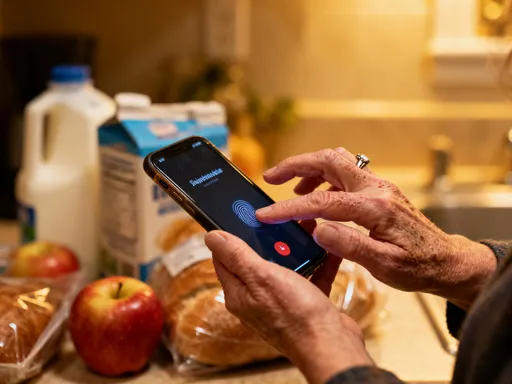
I also began organizing my scans into encrypted folders. My phone has a built-in secure folder feature that requires a password or fingerprint to open. I keep only the most essential documents there—like my passport or insurance cards—and I never store them in regular cloud storage. For extra protection, I started using two-factor authentication on every account linked to my files. It takes an extra few seconds, but it means that even if someone gets my password, they can’t access my data without my phone or email.
These changes didn’t take hours. They took awareness. And once I made them, I felt a sense of calm I hadn’t realized I was missing. I wasn’t just using technology anymore. I was guiding it. And that shift—from passive user to intentional guardian of my data—changed everything.
Tools That Put Privacy First (And How to Use Them)
I tested over a dozen scanning apps before finding a few I truly trust. The ones I kept share common traits: they don’t require an account, they process scans on-device, and they allow permanent deletion. Some even offer built-in encryption, so your files are protected even if your phone is lost. I’m not going to name specific brands—apps change, and what’s secure today might not be tomorrow. But I will share the checklist I use to evaluate any scanning tool.
First, does it work offline? If the app can scan and save without an internet connection, it’s less likely to be sending your data to a server. Second, does it require a login? If yes, that means your scans are tied to an account—and that account could be hacked. I prefer apps that let me use them as a standalone tool, like a digital scanner on my desk. Third, where are the files stored? I look for apps that save directly to my phone’s private storage, not a linked cloud drive. And fourth, can I delete files permanently? Some apps move files to a ‘trash’ folder that syncs across devices. I want true deletion—one that can’t be recovered by anyone else.
I also use my phone’s built-in security features more intentionally. I’ve set up a secure folder with biometric access. I review app permissions regularly—turning off access to my microphone, location, and contacts for apps that don’t need them. And I enable automatic updates so I always have the latest security patches.
One of my favorite habits? Scanning with intention. Instead of saving every document ‘just in case,’ I ask myself: Do I really need this? How long do I need it? Can I get it again if I do? This mindset has helped me keep only what matters and let go of the rest. It’s not just about security. It’s about clarity. A cluttered digital life is just as overwhelming as a cluttered home. And when you protect your data, you’re also protecting your peace.
Why This Matters Beyond Just Scanning
This journey changed more than my scanning habits. It changed how I think about technology as a whole. I now pause before downloading any new app. I read the permissions. I ask: what data is this collecting? Why does it need access to my photos, my contacts, my location? I’ve started using encrypted messaging for sensitive conversations and backing up my photos to a private drive instead of a public cloud. I even talk to my kids about digital safety—teaching them to think before they share, to use strong passwords, and to understand that once something is online, it’s hard to take back.
Because privacy isn’t just about avoiding danger. It’s about autonomy. It’s about having control over your own life, your choices, your identity. In a world that constantly asks us to trade personal information for convenience, saying ‘no’—or at least ‘not without safeguards’—is an act of self-respect.
Scanning was just the beginning. But it opened my eyes to a bigger truth: we don’t have to choose between technology and safety. We can have both. We just need to use tools with intention, ask questions, and take small, consistent steps to protect what matters. It’s not about fear. It’s about freedom. The freedom to use technology without feeling exposed. The freedom to live fully, digitally, and securely—on our own terms.